
Self-Study in One Window, AI, PDF and Notes Together
Read academic PDFs side-by-side with LaTeX notes and DolphinlyAI assistance in a local-first Windows desktop workspace.
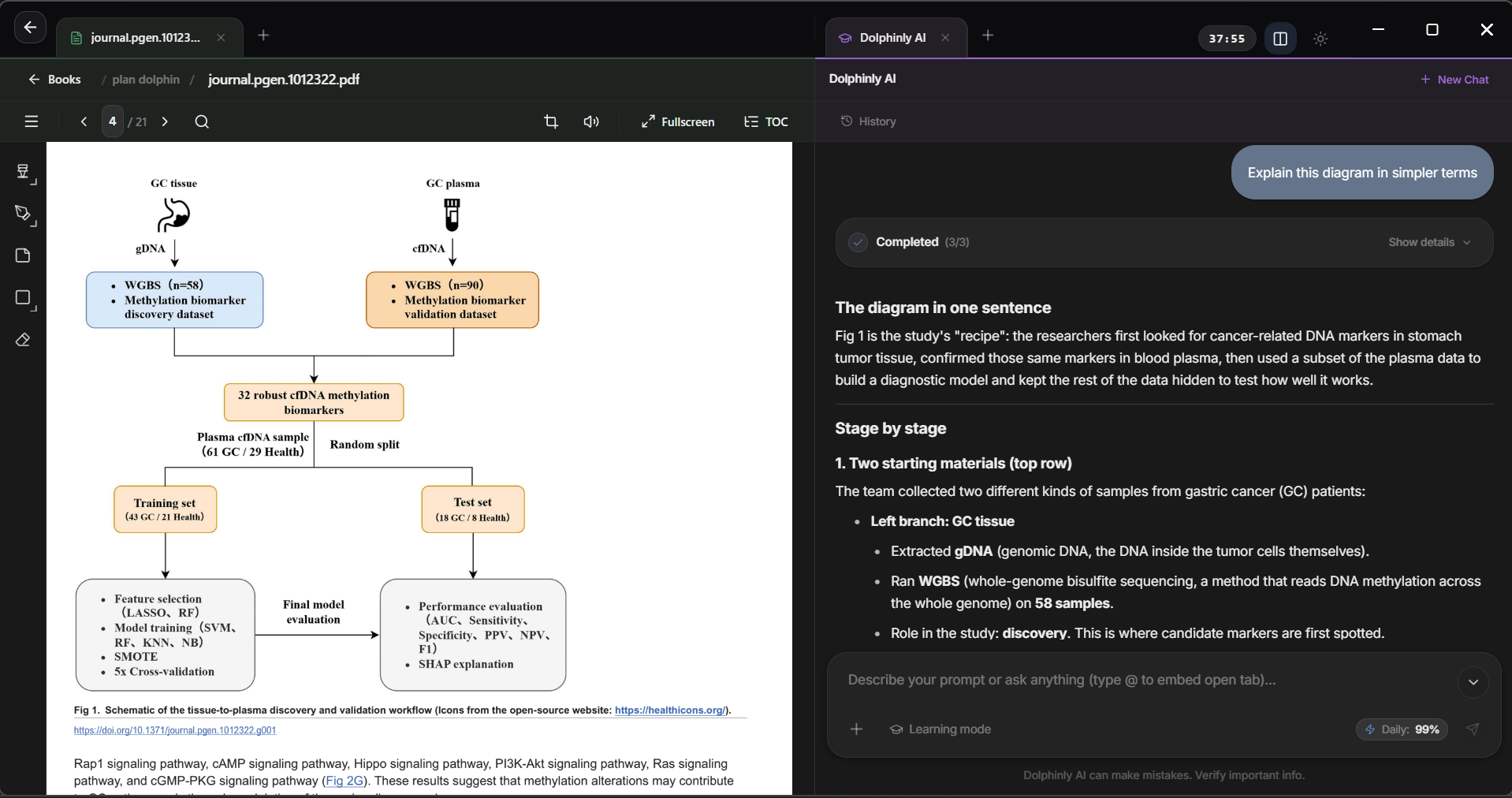
Three study tools in one window
An AI assistant, PDF viewer, and LaTeX note editor built to run side-by-side without switching apps.
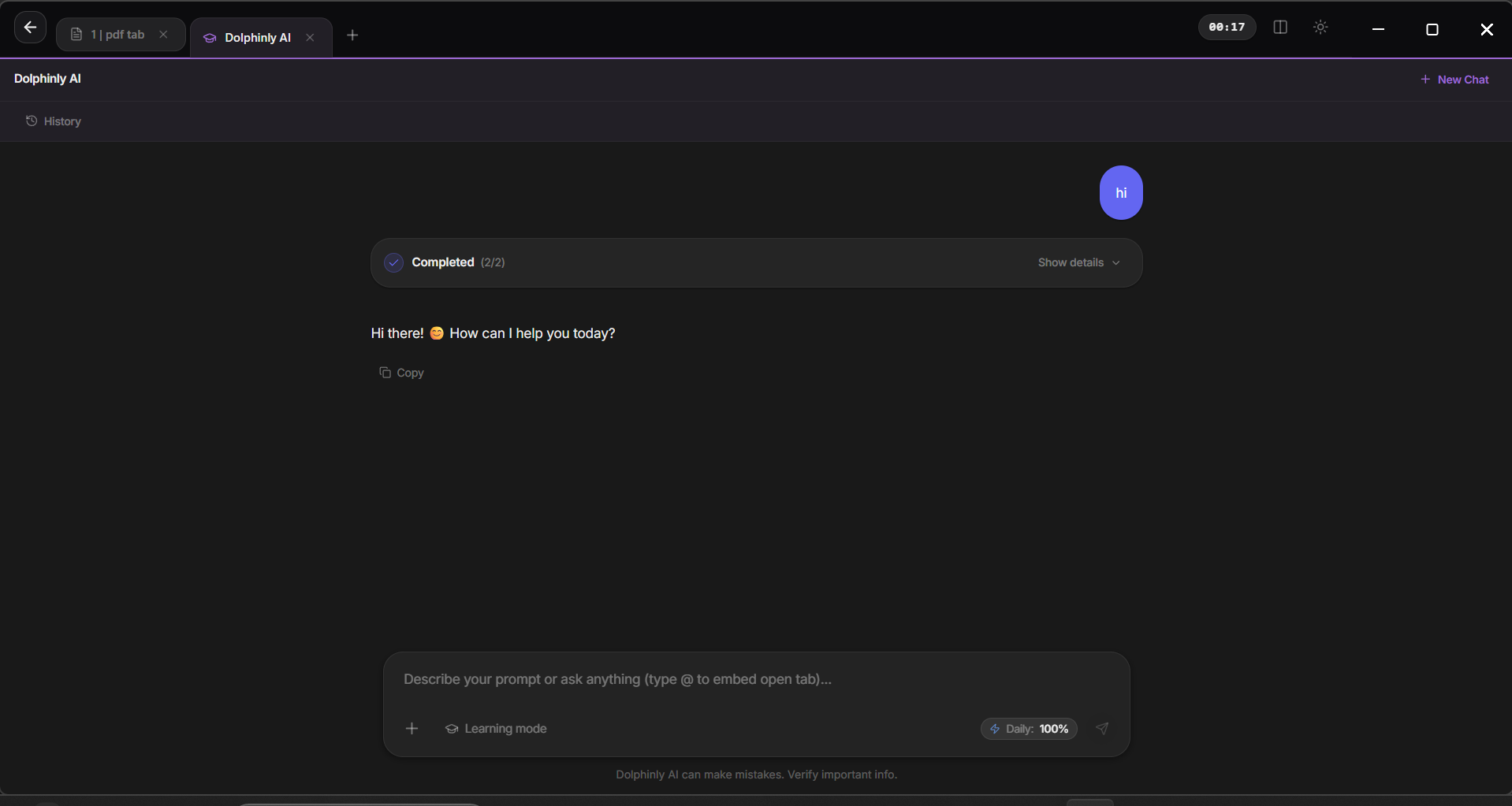
Dolphinly AI
Built-in AI assistant to edit notes, generate practice quizzes, and walk through difficult material.
- Note Manipulation: rewrite, format, and organize notes directly with AI
- Exam Generator: create practice questions and self-assessment quizzes from your material
- Learning Mode: step-by-step explanations for complex topics
- SkillsComing soon: modular AI capabilities tailored for research workflows
- MCPComing soon: connect external tools and data via Model Context Protocol
PDF Viewer
Open large textbooks and research papers locally, side-by-side with your notes.
- PDF Navigation & Annotations: fast paging, zoom, bookmarks, highlights, and text search
- Auto OCR: automatic text recognition on scanned PDFs and document images
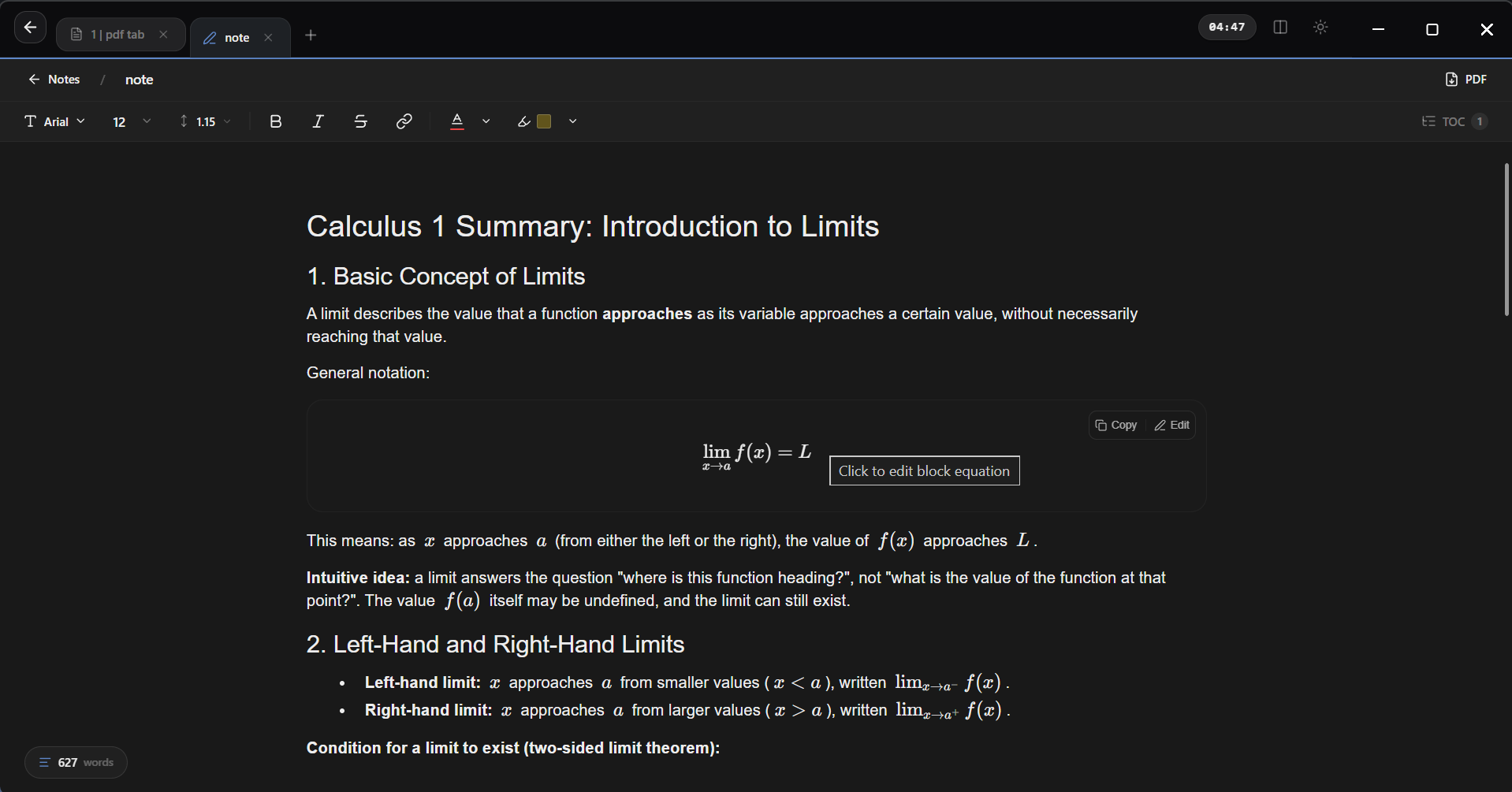
Notes & LaTeX
Write structured notes with Markdown, LaTeX and KaTeX math notation, and visual diagrams.
- Markdown Editor: structured headings, lists, and clean text formatting
- Diagrams & LaTeX Notation: inline rendering for visual diagrams and KaTeX math formulas
- AI Manipulation: rephrase, summarize, and clarify note sections directly with AI
Built offline-first around focused study
Your PDFs and notes stay on your own computer. An internet connection is only needed when querying DolphinlyAI or managing your account.
Integrated Study Tracker
Maintain deep cognitive focus sessions with built-in timers and distraction-free workspace clarity.
Offline-First Privacy
Full offline note taking and document reading with zero forced cloud lock-in.
Single Desktop Window
Keep your Markdown notes, PDF viewer, and AI panel open side-by-side inside one Windows desktop app.